Advertisement
The Alt Manager allows you to save and switch between multiple Minecraft accounts without restarting the game. It supports both Microsoft accounts and cracked (offline) accounts. The Alt Manager can be accessed from the Minecraft multiplayer screen.
All saved accounts are encrypted and stored locally on your machine. Account credentials are never sent to any third-party servers. Microsoft account authentication goes
directly through Microsoft's official OAuth service.
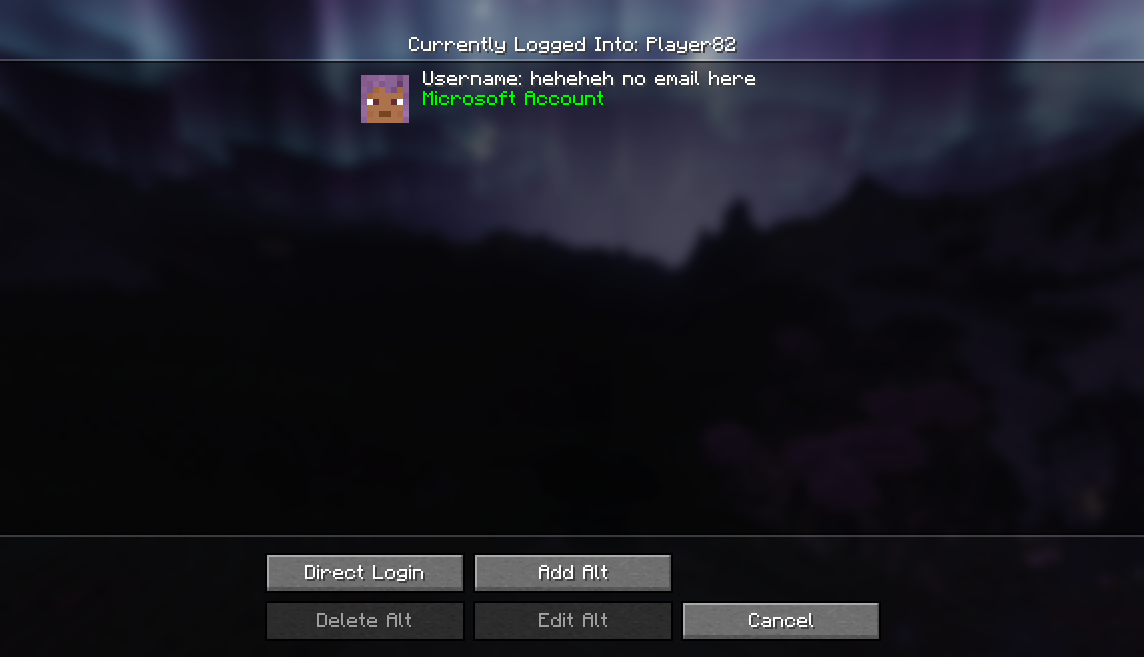
Click Add Alt to add a new account. Enter the email address (for Microsoft accounts) or a username (for cracked accounts), and toggle the Cracked Account checkbox accordingly. For Microsoft accounts, a browser window will open to complete the login process through Microsoft's official authentication.
Select an account from the list and click to log in, or double-click an account for quick login. Your game session will switch to the selected account immediately. The currently logged-in account is displayed at the top of the screen.
The Direct Login option allows you to log into an account without saving it to your account list. This is useful for one-time use or testing an account before adding it permanently.
Select an account and click Edit Alt to update its email or username. Use Delete Alt to remove an account from your saved list.
Advertisement
