Advertisement
Commands allow you to interact with Aoba Client through the in-game chat. They provide an alternative way to toggle modules, adjust settings, and perform utility actions without opening the ClickGUI.
All commands are prefixed with .aoba, followed by the command name and any parameters. For example:
.aoba fly speed 10
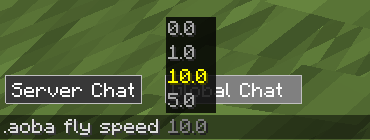
The table below lists all available commands, their syntax, and a brief description. Parameters in [brackets] are required.
These commands control specific modules and their settings.
| Command | Syntax | Description |
|---|---|---|
| aimbot | .aoba aimbot [toggle/mode] [value] | Controls aimbot targeting settings |
| autoeat | .aoba autoeat [toggle/set] [value] | Automatically eats when hunger is low |
| chestesp | .aoba chestesp [toggle] [value] | Toggles chest ESP highlighting |
| entityesp | .aoba entityesp [toggle] [value] | Toggles entity ESP highlighting |
| fastbreak | .aoba fastbreak [multiplier/toggle] [value] | Adjusts block breaking speed |
| fly | .aoba fly [speed/toggle] [value] | Toggles flight and adjusts speed |
| freecam | .aoba freecam [toggle] [value] | Toggles freecam mode |
| fullbright | .aoba fullbright [toggle] [value] | Toggles maximum brightness |
| itemesp | .aoba itemesp [toggle] [value] | Toggles item ESP highlighting |
| noclip | .aoba noclip [toggle/speed] [value] | Toggles noclip and adjusts speed |
| nofall | .aoba nofall [toggle] [value] | Toggles fall damage prevention |
| noslowdown | .aoba noslowdown [toggle] [value] | Toggles slowdown prevention |
| nuker | .aoba nuker [radius/toggle] [value] | Toggles nuker and adjusts radius |
| playeresp | .aoba playeresp [toggle] [value] | Toggles player ESP highlighting |
| pov | .aoba pov [set/toggle] [value] | View through another player's perspective |
| reach | .aoba reach [toggle/distance] [value] | Toggles extended reach and adjusts distance |
| sprint | .aoba sprint [toggle] [value] | Toggles automatic sprinting |
| step | .aoba step [toggle/height] [value] | Toggles step-up and adjusts height |
| tilebreaker | .aoba tilebreaker [radius/toggle] [value] | Toggles tile breaking and adjusts radius |
| timer | .aoba timer [toggle/multiplier] [value] | Toggles timer and adjusts game speed |
| tracer | .aoba tracer [toggle] [value] | Toggles entity tracers |
| xray | .aoba xray [toggle/block] [value] | Toggles XRay and manages block list |
These commands provide general functionality unrelated to specific modules.
| Command | Syntax | Description |
|---|---|---|
| clickgui | .aoba clickgui [set/open] [value] | Opens the ClickGUI or sets its keybind |
| discord | .aoba discord | Sends the Aoba Client Discord invite link |
| font | .aoba font [set] [value] | Changes the HUD font |
| friends | .aoba friends [add/remove/list] [player] | Manages your friends list - friends are excluded from combat modules |
| help | .aoba help [page/module] | Displays available commands or module-specific help |
| history | .aoba history [page] | Shows your command history |
| hud | .aoba hud [toggle] [value] | Customizes HUD elements via commands |
| spam | .aoba spam [times] [message] | Sends a message in chat a specified number of times |
| tp | .aoba tp [x] [y] [z] | Teleports the player to the given coordinates (vanilla servers only) |
Advertisement
